
The Multicoder device consists of two software parts:
A - the Flexa firmware
and
B - the Multicoder application
Both parts belong together, the Multicoder application always mentions a minimum Flexa firmware which is required to run. If using an older version as mentioned on the application then there is a high chance that the application will not properly run.
NOTE: When you update the software of a Flexa device or Multicoder manually, then it is urgently recommended to disable the FLEXA Agent on the device Homepage !
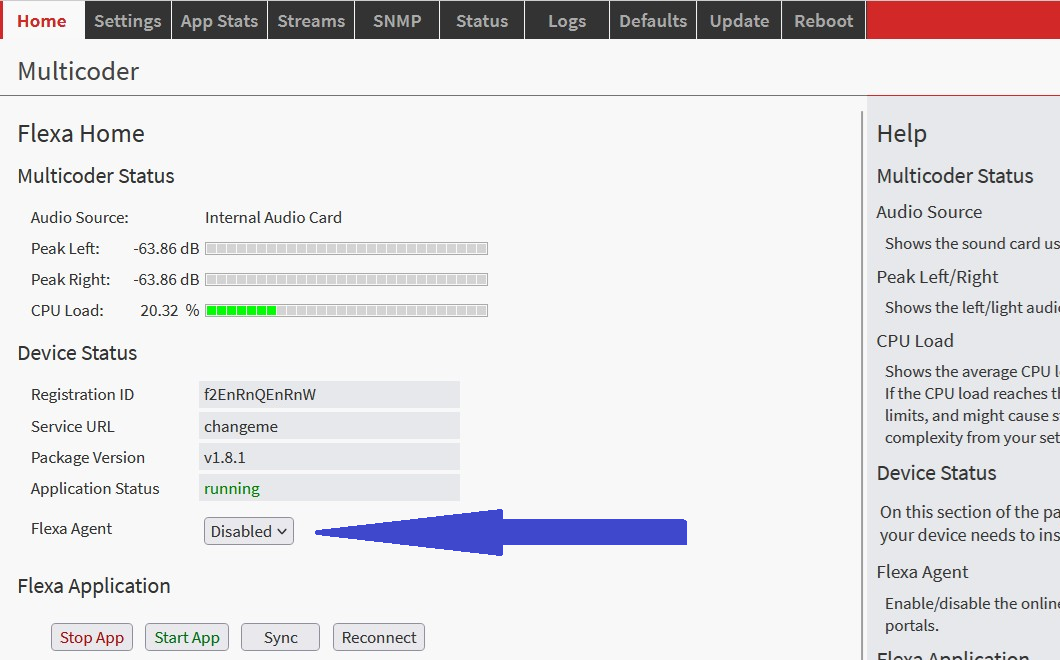
The Multicoder Application v1.8.0 requires minimum firmware v2.3.2 (or higher)
Flexa Firmware update
Fot the Flexa firmware update download first the firmware from here:
https://help.barix.com/flexa/release-documentation
Thereafter visit the Update page of the of the device and upload the firmware.
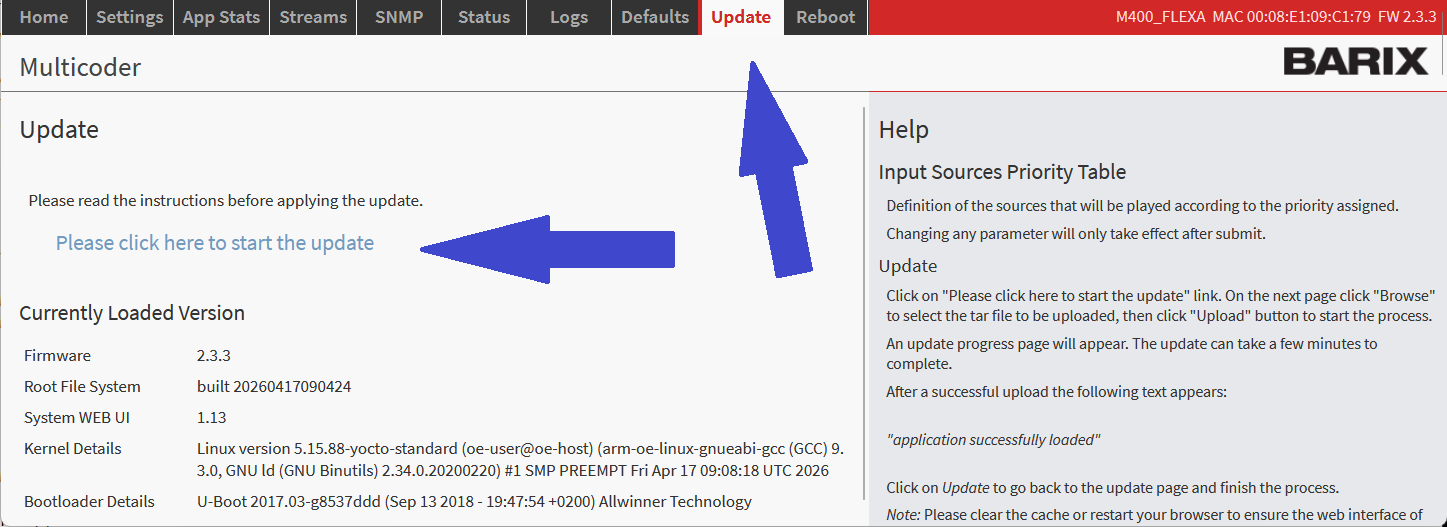
For the upload of the Flexa firmware click on “Update” on the device homepage,
and then click “Please click here to start the update” to open the update procedure.
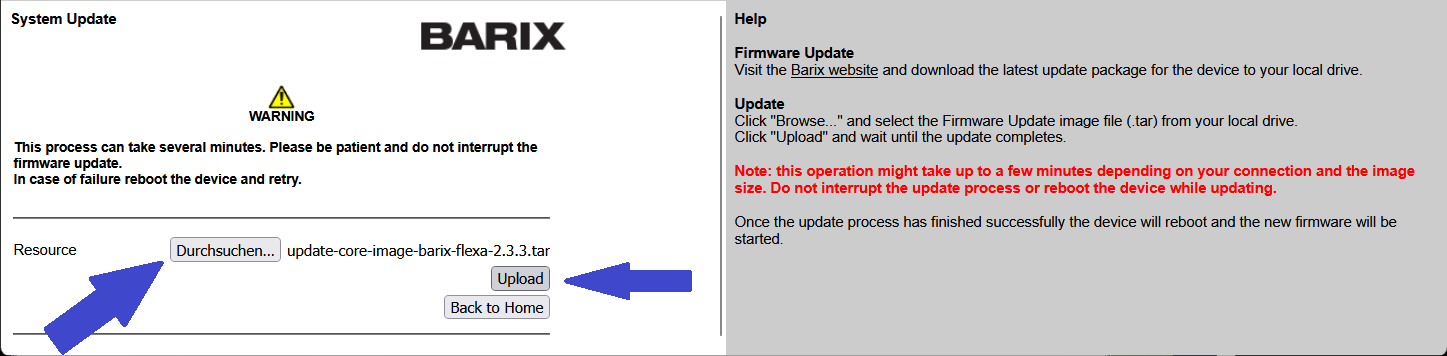
On the next coming page select the firmware file (.tar) you have downloaded from the link above
and click on “upload”
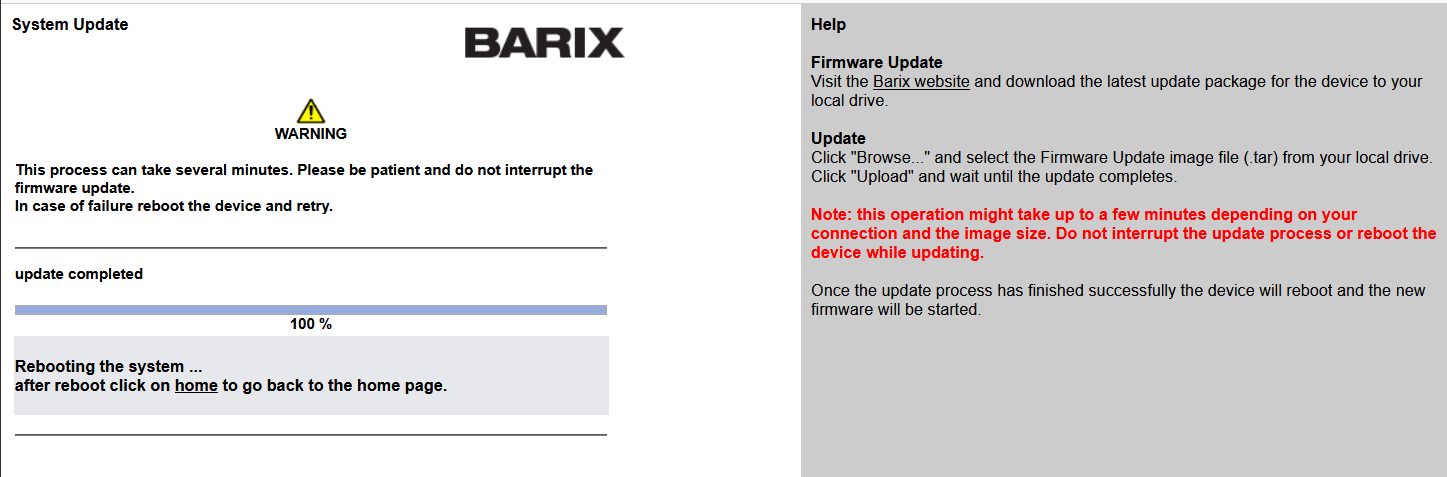
After clicking “upload” the firmware update can take upto 3 minutes.
The firmware update is ready when you see the following screen; but please wait 40 seconds before clicking the “Home” link, because the device must reboot first.
Flexa Application update
First download the application from here:
package-1.8.0.zip
The Flexa application can be uploaded from the homepage of the device.
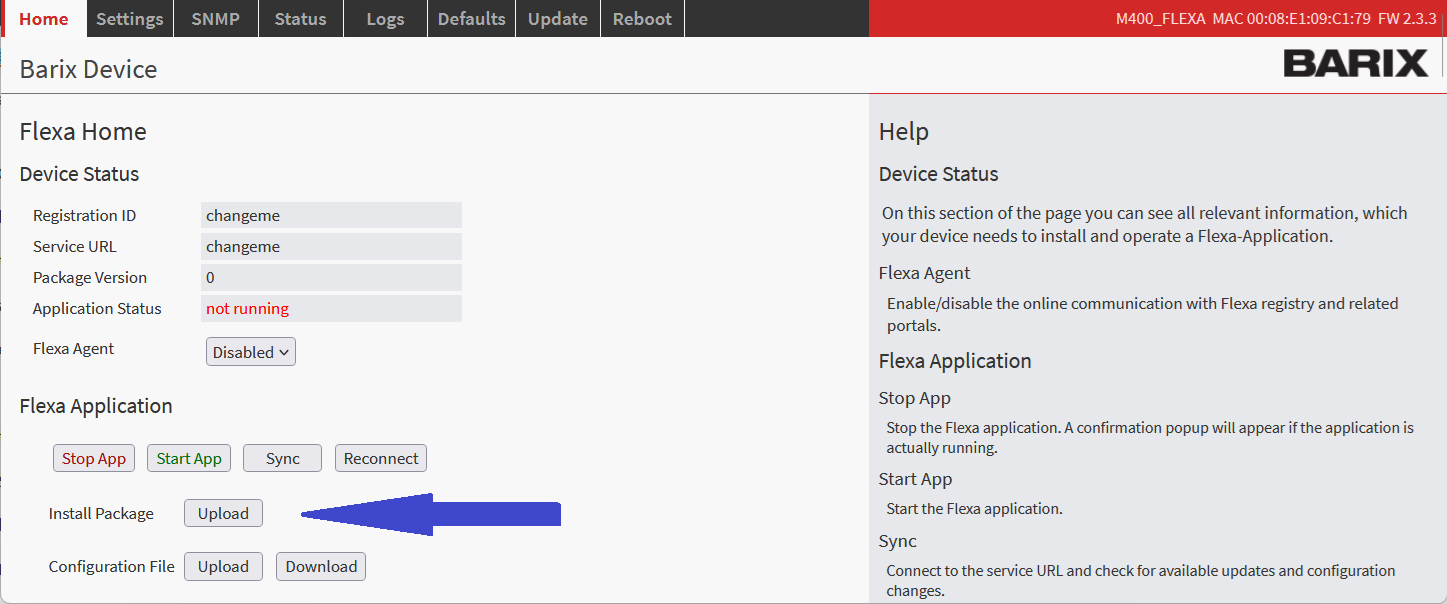
There select the application file (.zip), if you want you can add even a comment or version number and click “upload”.
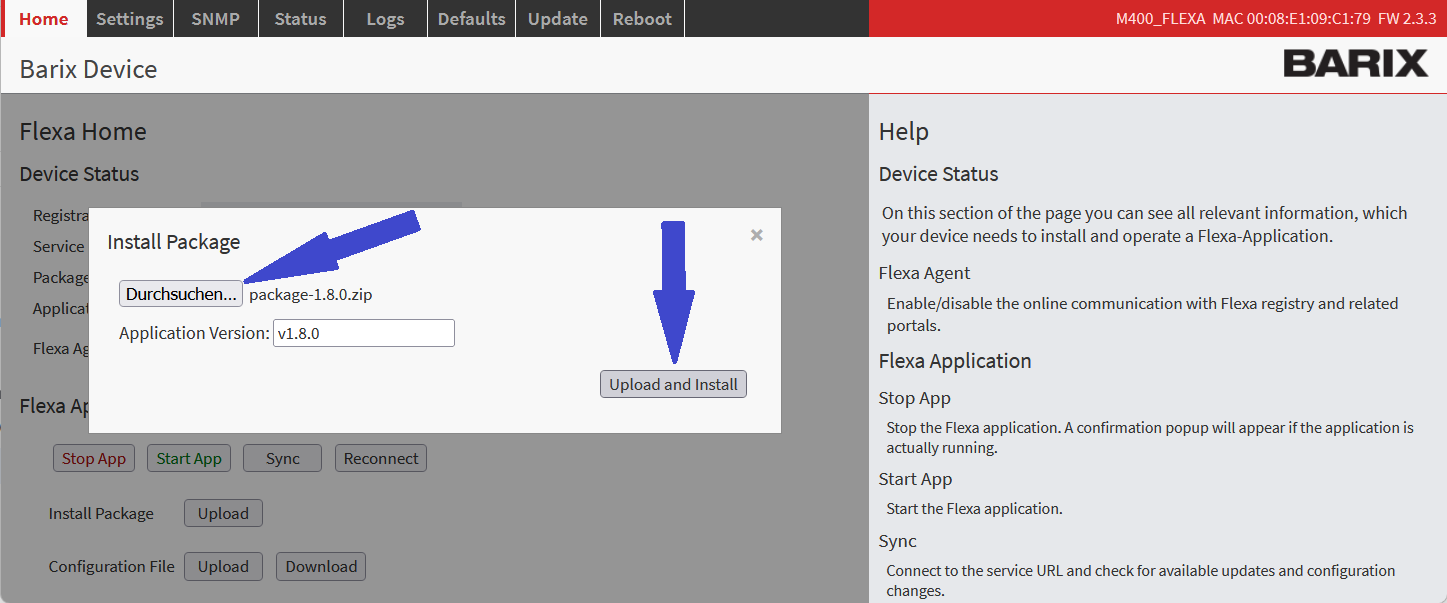
After the application upload the device will automatically reboot. Thereafter refresh the browser page to see the new homepage with added application features.
Don't just build it. Build it on Barix.