
Receiving a RTP Multicast from Multicoder on VLC MediaPlayer
The Barix Multicoder can stream at the moment in unicast and Multicast.
On the PC you can receive such streams e.g with FFMPEG or VLC Media Player.
To receive such Multicast on the VLC Media Player you have to select in menu “open Network Stream” and then you have to define the streaming URL.
For a RTP - Multicast you have to use the following URL:
rtp://@<multicast IP>:<port number>
e.g:
rtp://@227.1.2.3:5555
But that does not work when you have multiple network adapters on your PC enabled.
In such case you have to disable all other network adapters on the PC and only have the LAN adapter enabled.
Alternatively you could use another solution, but this could be dangerous in big networks !!
(not recommended in big networks, it can create a network traffic overload!)
For VLC the Multicast needs to be announced by the sender.
The Multicoder sends an Avahi IGMP message after reboot, that allows use the Avahi Multicast address (224.0.0.251) for the Multicast stream on VLC, without disabling the network interfaces on the PC.
On the VLC you can the following URL:
rtp://<IP of the sender>@<multicast IP>:<port number>
e.g:
rtp://192.168.0.50@224.0.0.251:5555
Also you should use an audio format for a standardized payload type, like MP3, G.711 8kHz or PCM 44.1 kHz.
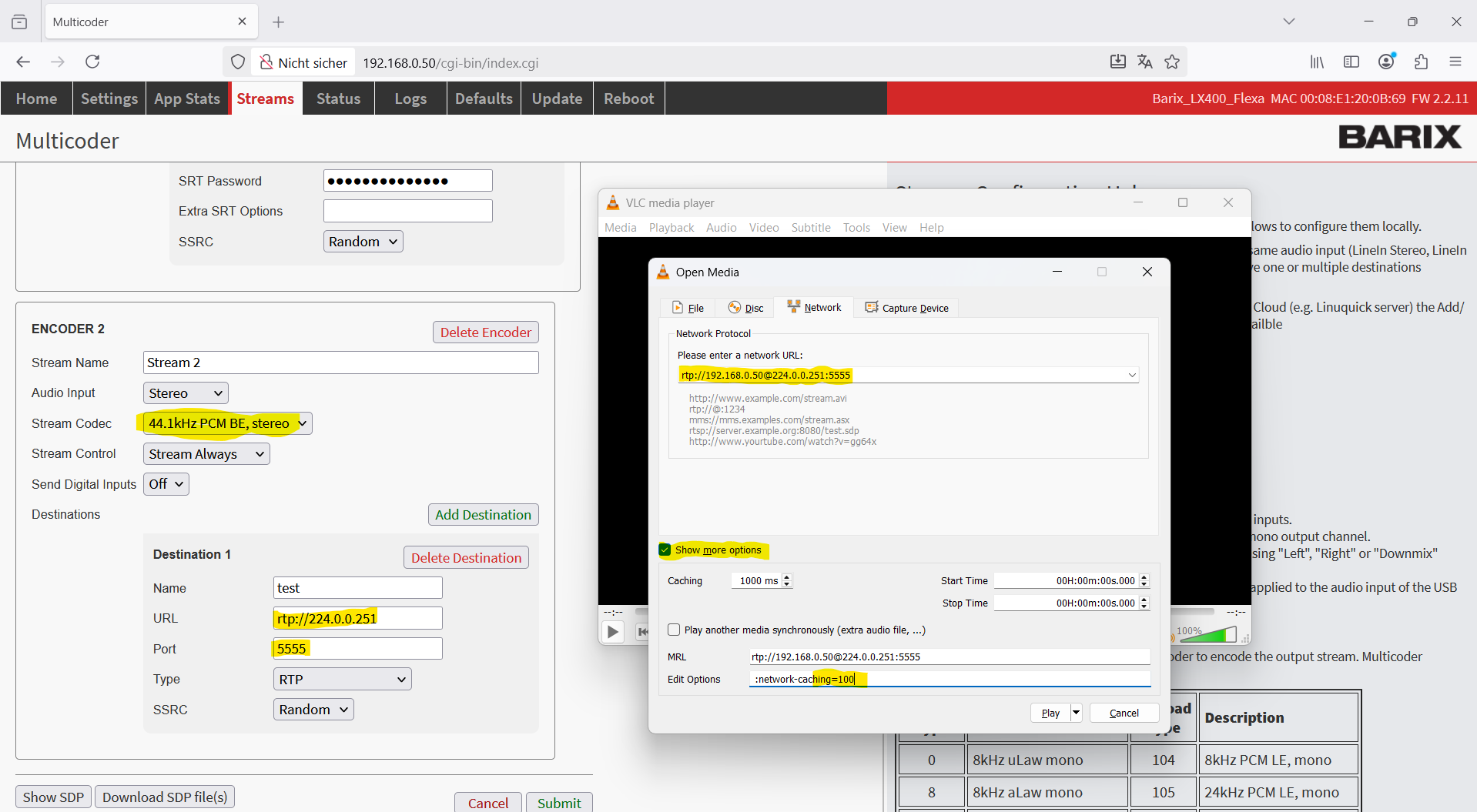
If you need the lowest latency then open “Show more options” and reduce the Network caching.